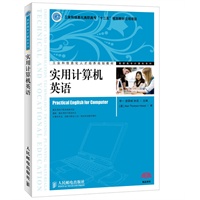
| 1.骨干校出品,品质保证 2.配套精品课程网站 3.写法新颖,适合高职高专学生 4.听说读写全面锻炼 5.补充新技术相关内容 |
| 目 录 Unit 1 The Development of Computer Technology 1 Section 1 Dialogue: The Impact of Computers on People’s Lives 2 Section 2 Reading 3 Text A: The Evolution of the Computer Age 3 Text B: Different Types of Computers 5 Text C: The Future of Computers 9 Section 3 Occupational Tips: How to Start Your Career in Information Technology 12 Section 4 Class Activities: Guess Who the IT Figure Is 14 Unit 2 Computer Hardware 16 Section 1 Dialogue: First Day at Work (Hardware Orientation) 17 Section 2 Reading 18 Text A: Computer Hardware 18 Text B: PC Ports 23 Text C: Fast Facts on Apple 26 Section 3 Occupational Tips: How to Configure Your Own PC 30 Section 4 Class Activities: Hardware Crossword Puzzle Game 32 Unit 3 Operating Systems 33 Section 1 Dialogue: Buying an Android Tablet PC 34 Section 2 Reading 35 Text A: How Operating Systems Work 35 Text B: About Windows Vista 38 Text C: Linux OS 40 Section 3 Occupational Tips: How to Install an Operating System 44 Section 4 Class Activities: Finding the New Features of Windows Vista 45 Unit 4 Application Software 46 Section 1 Dialogue: How to Solve an Office Problem 47 Section 2 Reading 48 Text A: Microsoft Office 48 Text B: How Time Management Software Works 51 Text C: Computer-Aided Design 54 Section 3 Occupational Tips: How to Use Excel 2010 Formula 58 Section 4 Class Activities: A Debate on Video Games’ Effect on Youngsters 59 Unit 5 Computer Programming 61 Section 1 Dialogue: How to Choose the Right Programming Language to Study 62 Section 2 Reading 63 Text A: The Basics of C Programming 63 Text B: Object-oriented Programming 67 Text C: Languages to Know for Web Programming 71 Section 3 Occupational Tips: Tips on Good Programming Style 75 Section 4 Class Activities: Discussion on 10 Traits of a Good Programmer 78 Unit 6 Database 80 Section 1 Dialogue: A Customer Database 81 Section 2 Reading 82 Text A: What Relational Databases Are 82 Text B: Introduction to SQL 84 Text C: How Data Mining and Data Warehousing are Related 87 Section 3 Occupational Tips: How to Write a Project Proposal 90 Section 4 Class Activities: Using Google Earth to Search for a Location 93 Unit 7 Computer Networks 94 Section 1 Dialogue: How Computers Communicate with Each Other 95 Section 2 Reading 96 Text A: Computer Networking 96 Text B: Introduction to Network Types 98 Text C: Grid Computing 101 Section 3 Occupational Tips: How to Configure Your IP Address 105 Section 4 Class Activities: Sign up for a Foreign Mailbox 106 Unit 8 The World Wide Web and the Internet 107 Section 1 Dialogue: How the Internet Works 108 Section 2 Reading 109 Text A: The Development of the Internet 109 Text B: Blog and Microblog 111 Text C: The History of the World Wide Web 113 Section 3 Occupational Tips: How to Use Your Browser 117 Section 4 Class Activities: Compete in Computer Games 118 Unit 9 Communication Online 119 Section 1 Dialogue: Amazing QQ 120 Section 2 Reading 121 Text A: Using Instant Messaging for Business 121 Text B: MSN 123 Text C: How to Ensure the Safety When Chatting Online 125 Section 3 Occupational Tips: Shortcut Keys in QQ 128 Section 4 Class Activities: Using ICQ to Chat with New Friends 129 Unit 10 Privacy and Security 130 Section 1 Dialogue: My Poor Computer 131 Section 2 Reading 132 Text A: Computer Viruses 132 Text B: Antivirus Software, a Good Defender 135 Text C: Computer Crime 138 Section 3 Occupational Tips: How to Protect Your PC from Invasion 141 Section 4 Class Activities: Discussion on User- friendly Firewalls and Antivirus Software 143 Unit 11 Multimedia 144 Section 1 Dialogue: The Ultimate Movie Experience with IMAX 145 Section 2 Reading 146 Text A: Multimedia and Its Applications 146 Text B: Graphics File Formats 148 Text C: Adobe Photoshop 151 Section 3 Occupational Tips: How to Make a Wonderful Presentation That Makes the Sale 154 Section 4 Class Activities: Using Photoshop to Make Pictures Look Great 157 Unit 12 Electronic Commerce 158 Section 1 Dialogue: Online Shopping for Books 159 Section 2 Reading 160 Text A: E-commerce and Its Global Trends 160 Text B: How E-Commerce Work 162 Text C: The Lure of E-commerce 164 Section 3 Occupational Tips: How to Achieve an Online Store Success 167 Section 4 Class Activities: Video Watching (E-commerce) 169 Unit 13 New Techniques of Computer Science 170 Section 1 Dialogue: Why It Is Called “Cloud Computing” 171 Section 2 Reading 172 Text A: Cloud Computing 172 Text B: Toward a Global “Internet of Things” 174 Text C: The Coming of New Techniques,Evolution or Revolution 176 Section 3 Occupational Tips: How to Write a Good Resume 179 Section 4 Class Activities: Video Watching (The Internet of Things) 183 Unit 14 Your Future and Information Technology 184 Section 1 Dialogue: IT Working Experience 185 Section 2 Reading 186 Text A: Shaping the Internet Age 186 Text B: Building an IT Career in the Midst of Change 188 Text C: To Be a Winner in the Information Revolution 191 Section 3 Occupational Tips: The First Job Interview 193 Section 4 Class Activities: An IT Interview 195 附录 参考译文(Text A)及答案 196 参考文献 221 |



 内容加载中,请稍后...




商品评论(0条)