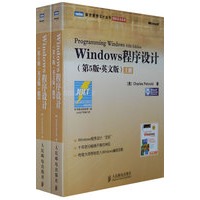
| Windows程序设计“圣经”,十年依旧畅销不衰的神品,传奇大师带你走入Windows编程圣殿。 |
| Charles Petzold,微软技术领域的大师级专家。他的著作和文章为Wiridows程序设计技术的推广和普及作出了巨大贡献。1994年被微软公司授予“Windows先驱奖”,是全球唯一获此殊荣的技术作家。他也是资格最老的微软MVP之一。除本书外,他撰写的The Annotated Tunng(中文版将由人民邮电出版社出版)和Code等书也是脍炙人口的名著。 |
| 上册 Section I The Basics Chapter 1 Getting Started The Windows Environment A History of Windows Aspects of Windows Dynamic Linking Windows Programming Options APIs and Memory Models Language Options The Programming Environment API Documentation Your First Windows Program A Character-Mode Model The Windows Equivalent The Header Files Program Entry Point The MessageBox Function Compile, Link, and Run Chapter 2 An Introduction to Unicode A Brief History of Character Sets American Standards The World Beyond Extending ASCII Double-Byte Character Sets Unicode to the Rescue Wide Characters and C The char Data Type Wider Characters Wide-Character Library Functions Maintaining a Single Source Wide Characters and Windows Windows Header File Types The Windows Function Calls Windows?String Functions Using printf in Windows A Formatting Message Box Internationalization and This Book Chapter 3 Windows and Messages A Window of One's Own An Architectural Overview The HELLOWIN Program Thinking Globally Registering the Window Class Creating the Window Displaying the Window The Message Loop The Window Procedure Processing the Messages Playing a Sound File The WM_PAINT Message The WM_DESTROY Message The Windows Programming Hurdles Don’t Call Me, I'll Call You Queued and Nonqueued Messages Get In and Out Fast Chapter 4 An Exercise in Text Output Painting and Repainting The WM_PAINT Message Valid and Invalid Rectangles An Introduction to GDI The Device Context Getting a Device Context Handle: Method One The Paint Information Structure Getting a Device Context Handle: Method Two TextOut: The Details The System Font The Size of a Character Text Metrics: The Details Formatting Text Putting It All Together The SYSMETS1.C Window Procedure Not Enough Room The Size of the Client Area Scroll Bars Scroll Bar Range and Position Scroll Bar Messages Scrolling SYSMETS Structuring Your Program for Painting Building a Better Scroll The Scroll Bar Information Functions How Low Can You Scroll? The New SYSMETS But I Don’t Like to Use the Mouse Chapter 5 Basic Drawing Chapter 6 The Keyboard Chapter 7 The Mouse Chapter 8 The Timer Chapter 9 Child Window Controls Chapter 10 Menus and Other Resources Chapter 11 Dialog Boxes Chapter 12 The Clipboard 下册 |


 内容加载中,请稍后...




商品评论(0条)