最 低 价:¥406.40

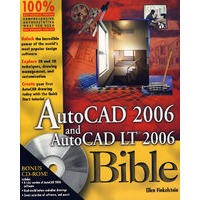
| Ellen Finkelstein learned AutoCAD in Israel, where she always got to pore over the manual because it was in English. After returning to the United States, she started consulting and teaching AutoCAD as well as other computer programs, including Microsoft Word, Excel, and PowerPoint. She has also taught courses on Web writing and usability. Her Web site, www.ellenfinkelstein.com, contains tips and techniques for AutoCAD and PowerPoint. Ellen has written numerous articles on AutoCAD and PowerPoint. Her first book was AutoCAD For Dummies Quick Reference. Since then, she has written books on Word, PowerPoint, OpenOffice.org (OpenOffice.org For Dummies), Flash (Flash MX 2004 For Dummies), and Web technologies (Syndicating Web Sites with RSS Feeds For Dummies). You’re holding the sixth edition of this book, which previously appeared for AutoCAD releases 14, 2000, 2002, 2004, and 2005. |
| Foreword Preface Acknowledgments PART Ⅰ: AutoCAD and AutoCAD LT Basics Quick Start: Drawing a Window Chapter 1: Starting to Draw Chapter 2: Opening a Drawing Chapter 3: Using Commands Chapter 4: Specifying Coordinates Chapter 5: Setting Up a Drawing PART Ⅱ: Drawing in Two Dimensions Chapter 6: Drawing Simple Lines Chapter 7: Drawing Curves and Points Chapter 8: Viewing Your Drawing Chapter 9: Editing Your Drawing: Basic Tools Chapter 10: Editing Your Drawing: Advanced Tools Chapter 11: Organizing Drawings with Layers, Colors, Linetypes, and Lineweights Chapter 12: Obtaining Information from Your Drawing Chapter 13: Creating Text Chapter 14: Drawing Dimensions Chapter 15: Creating Dimension Styles and Tolerances Chapter 16: Drawing Complex Objects Chapter 17: Plotting and Printing Your Drawing Part Ⅲ: Working with Data Chapter 18: Working with Blocks and Attributes Chapter 19: Referencing Other Drawings Chapter 20: Working with External Databases Part Ⅳ: Drawing in Three Dimensions Chapter 21: Specifying 3D Coordinates Chapter 22: Viewing 3D Drawings Chapter 23: Creating 3D Surfaces Chapter 24: Creating Solids and Editing in 3D Chapter 25: Rendering in 3D Part Ⅴ: Organizing and Managing Drawings Chapter 26: Keeping Control of Your Drawings Chapter 27: Working with Other Applications Chapter 28: Getting on the Internet Part Ⅵ: Customizing AutoCAD Chapter 29: Customizing Commands, Toolbars, and Tool Palettes Chapter 30: Creating Macros and Slide Shows with Script Files Chapter 31: Creating Your Own Linetypes and Hatch Patterns Chapter 32: Creating Shapes and Fonts Chapter 33: Customizing Menus PART Ⅶ: Programming AutoCAD Chapter 34: Understanding AutoLISP and Visual LISP Basics Chapter 35: Exploring AutoLISP Further Chapter 36: Exploring Advanced AutoLISP Topics Chapter 37: Programming with Visual Basic for Applications PART Ⅷ: Appendixes Appendix A: Installing and Configuring AutoCAD and AutoCAD LT Appendix B: AutoCAD and AutoCAD LT Resources Appendix C: What’s on the CD-ROM Index |


 内容加载中,请稍后...


商品评论(0条)