最 低 价:¥203.40

| 作者简介: Joyce Cox has over 20 years' experience in the development of training materials about technical subjects for non-technical audiences, and is the author of dozens of books about Office and Windows technologies. Joyce is the Vice President of Online Training Solutions, Inc. (OTSI). She was President of and principle author for Online Press, where she developed the Quick Course series of computer training books for beginning and intermediate adult learners. She was also the first managing editor of Microsoft Press, an editor for Sybex, and an editor for the University of California. |
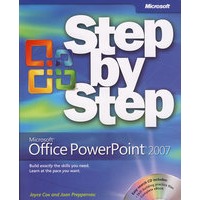
| 1 Exploring PowerPoint 2007 Working in the PowerPoint Environment Opening, Moving Around in, and Closing a Presentation Sidebar: Compatibility with Earlier Versions Displaying Different Views of a Presentation Saving a Presentation Key Points 2 Starting a New Presentation Quickly Creating a Presentation Creating a Presentation Based on a Ready-Made Design Converting an Outline to a Presentation Sidebar: Exporting a Presentation as an Outline Reusing Existing Slides Sidebar: Working with a Slide Library Key Points 3 Working with Slide Text Entering Text Editing Text Adding and Manipulating Text Boxes Sidebar: Changing the Default Font for Text Boxes Correcting and Sizing Text While Typing Sidebar: Smart Tags Checking Spelling and Choosing the Best Words Finding and Replacing Text and Fonts Changing the Size, Alignment, Spacing, and Look of Text Key Points 4 Adjusting the Layout, Order, and Look of Slides Changing the Layout of a Slide Rearranging Slides in a Presentation Applying a Theme Switching to a Different Color Scheme Sidebar: Changing a Theme's Fonts and Effects Using Colors That Are Not Part of the Scheme Adding Shading and Texture to the Background of a Slide Sidebar: Adding a Picture to the Slide Background.. Key Points 5 Adding Tables, Charts, and Diagrams Inserting and Formatting a Table . Inserting and Updating an Excel Worksheet Inserting and Formatting a Chart Sidebar: Additional Chart Formatting Options Inserting and Formatting a Diagram Converting Existing Bullet Points into a Diagram Key Points 6 Enhancing Slides with Graphics Inserting and Modifying Clip Art Images Sidebar: Using the Clip Organizer Inserting and Modifying Pictures Sidebar: Graphic Formats Creating a Photo Album Drawing, Modifying, and Connecting Shapes Inserting and Modifying Stylized Text Aligning and Stacking Graphics Key Points 7 Adding Animation, Sound, and Movies Animating Slide Elements Adding Transition Effects Inserting, Playing, and Modifying Sounds Sidebar: Recording a Narration Inserting, Playing, and Modifying Movies Key Points 8 Reviewing & sharing a presentation 9 Creating your own presentation electronically 10 Delivering a Presentatino Electroncally 11 Setting up a presentation for web viewing 12 Customizing PowerPoint Glossary Index |


 内容加载中,请稍后...


商品评论(0条)