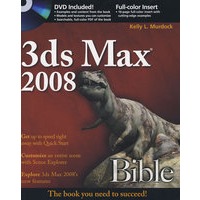
| Kelly Murdock has been authoring computer books for many years now and still gets immense enjoyment from the completed work. His book credits include various 3D, graphics, multimedia, and Web titles, including seven previous editions of this book, 3ds Max Bible. Other major accomplishments include Edgeloop Character Modeling for 3D Professionals Only, Maya 6 and 7 Revealed, LightWave 3D 8 Revealed, Poser 6 and 7 Revealed, 3D Game Animation For Dummies, gmax Bible, Adobe Atmosphere Bible, Master VISUALLY HTML and XHTML, JavaScript Visual Blueprint, and co-authoring duties on two editions of the Illustrator Bible (for versions 9 and 10) and three editions of the Adobe Creative Suite Bible.
With a background in engineering and computer graphics, Kelly has been all over the 3D industry and still finds it fascinating. He’s used high-level CAD workstations for product design and analysis, completed several large-scale visualization projects, created 3D models for feature films and games, worked as a freelance 3D artist, and even done some 3D programming. Kelly’s been using 3D Studio since version 3 for DOS. Kelly has also branched into training others in 3D technologies. He teaches at the local university and is a frequent speaker at various conferences. |
| About the Author Preface Acknowledgments Part Ⅰ: Getting Started with 3ds Max Quick Start: Creating and Flying Through a Greek Temple Chapter 1: Exploring the Max Interface Chapter 2: Controlling and Configuring the Viewports Chapter 3: Working with Files, Importing, and Exporting Chapter 4: Customizing the Max Interface and Setting Preferences Part Ⅱ: Working with Objects Chapter 5: Creating and Editing Primitive Objects Chapter 6: Selecting Objects, Setting Object Properties, and Using Layers and the Scene Explorer Chapter 7: Transforming Objects, Pivoting, Aligning, and Snapping Chapter 8: Cloning Objects and Creating Object Arrays Chapter 9: Grouping, Linking, and Parenting Objects Part Ⅲ: Modeling Basics Chapter 10: Learning Modeling Basics and Working with Subobjects and Helpers Chapter 11: Drawing and Editing 2D Splines and Shapes Chapter 12: Modeling with Polygons Chapter 13: Introducing Modifiers and Using the Modifier Stack Part Ⅳ: Materials, Cameras, and Lighting Basics Chapter 14: Exploring the Material Editor Chapter 15: Creating and Applying Standard Materials Chapter 16: Creating Compound Materials and Using Material Modifiers Chapter 17: Adding Material Details with Maps Chapter 18: Configuring and Aiming Cameras Chapter 19: Using Lights and Basic Lighting Techniques Part Ⅴ: Animation and Rendering Basics Chapter 20: Understanding Animation and Keyframe Basics Chapter 21: Animating with Constraints and Controllers Chapter 22: Learning to Render a Scene Part Ⅵ: Advanced Modeling Chapter 23: Building Complex Scenes with XRefs and Using Vault Chapter 24: Working with the Schematic View Chapter 25: Deforming Surfaces and Using the Mesh Modifiers Chapter 26: Working with Compound Objects Chapter 27: Modeling with Patches and NURBS Chapter 28: Adding and Styling Hair, Fur, and Cloth Part Ⅶ: Advanced Materials Chapter 29: Using Specialized Material Types Chapter 30: Unwrapping UVs and Using Pelt Mapping Chapter 31: Creating Baked Textures and Normal Maps Part Ⅷ: Advanced Animation Techniques Chapter 32: Using Animation Modifiers Chapter 33: Animating with the Expression Controller and Wiring Parameters Chapter 34: Working with Function Curves in the Track View Chapter 35: Using Animation Layers and the Motion Mixer Part Ⅸ: Dynamic Animation Chapter 36: Creating Particles and Particle Flow Chapter 37: Using Space Warps Chapter 38: Simulating Physics-Based Motion with reactor Part Ⅹ: Working with Characters Chapter 40: Understanding Rigging and Working with Bones Chapter 41: Working with Inverse Kinematics Chapter 42: Creating and Animating Bipeds and Crowds Chapter 43: Skinning Characters Part Ⅺ: Advanced Lighting and Rendering Chapter 44: Working with Advanced Lighting, Light Tracing, and Radiosity Chapter 45: Using Atmospheric and Render Effects Chapter 46: Raytracing and mental ray Chapter 47: Batch and Network Rendering Chapter 48: Compositing with Render Elements and the Video Post Interface Part Ⅻ: MAXScript and Plug-Ins Chapter 49: Automating with MAXScript Chapter 50: Expanding Max with Third-Party Plug-Ins Appendix A: What’s New with 3ds Max 2008 Appendix B: Installing and Configuring 3ds Max 2008 Appendix C: 3ds Max 2008 Keyboard Shortcuts Appendix D: What’s on the DVD Index End-User License Agreement |


 内容加载中,请稍后...



商品评论(0条)