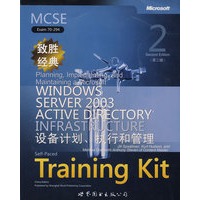

| 作者简介:Jill Spealman,Jill,a technical writer and instructional designer,is the owner of Wordsmith,Inc.,a Chi-cago-area company that develops training materials.Jill has written six training and certification books for Microsoft Press on Microsoft Windows NT and Microsoft Windows 2000,and the has received national awards for these works from the Society for Technical Communication.She has 16 years of experience developing documentation and training,and has worked for Thomson NETG,Wallace,Waste Management,Rock-well FirstPoint Contact,GAB Robins,and National Forwarding. Get official exam-prep guide plus practice tests—now updated for Service Pack 1. Ace your preparation for the skills measured by MCP Exam 70-294—and on the job—with this official Microsoft study guide,now updated for Service Pack 1. Work at your own pace through a system of lessons,hands-on exer-cises,troubleshooting labs,and review questions. Maximize your performance on the exam by learning how to:Plan,install,and configure an Active Directory infrastructure,UPDATED—Manage forest and domain structure and site replication,Create and manage OU structure and user and group accounts,Plan Group Policy strategy using Resultant Set of Policy(RSoP),NEW—Use the new Security Configuration Wizard for user and computer security settings,Manage and troubleshoot Group Policy and Active Directory performance. Your kit:Official self-paced study guide with expert exam tips.Readiness Review Suite featuring 425 questions and multiple testing options.Case scenarios and trouble-shooting labs for real-world expertise. |
| Part 1 Learn at Your Own Pace 1 Introduction to Active Directory 2 Installing and Configuring Active Directory 3 Administering Active Directory 4 Installing and Managing Domains, Trees, and Forests 5 Configuring Sites and Managing Replication 6 Implementing an OU Structure 7 Administering User Accounts 8 Administering Groups 9 Administering Active Directory Objects 10 Implementing Group Policy 11 Administering Group Policy 12 Deploying Software with Group Policy 13 Administering Security with Group Policy 14 Managing Active Directory Performance Part 2 Prepare for the Exam 15 Planning and Implementing an ActiveDirectory Infrastructure (1.0) 16 Managing and Maintaining an ActiveDirectory Infrastructure (2.0) 17 Planning and Implementing User, Computer,and Group Strategies (3.0) 18 Planning and Implementing Group Policy (4.0) 19 Managing and Maintaining Group Policy (5.0) Part 3 Appendixes A Active Directory Features in the Windows Server 2003 Family B Active Directory Setup Answer File Parameters C User Rights Practices Configuring a Static IP Address and Preferred DNS Server Installing and Removing Active Directory Fixing a DNS Configuration and Installing Active Directory Verifying Active Directory Installation Using Active Directory Installation Troubleshooting Tools Viewing Active Directory Administration Tools Customizing an MMC Backing Up Active Directory Restoring Active Directory Creating a Child Domain Renaming a Domain Controller Viewing and Transferring Operations Master Role Assignments Managing Trust Relationships Configuring Sites Configuring Intersite Replication Monitoring and Troubleshooting Active Directory Replication Creating an OU Administering OUs Creating,Modifying,and Verifying Domain User Accounts Managing User Profiles Managing Home Folders Administering User Accounts Creating and Administering Groups Using Run As to Start a Program as an Administrator Locating Objects in Active Directory Controlling Access to Active Directory Objects Implementing a GPO Generating RSoP Queries Managing Special Folders Deploying Software with Group Policy Implementing Audit Policies Administering the Security Log Managing Security Templates Using Security Configuration and Analysis Using System Monitor Using Performance Logs And Alerts Tables Troubleshooting Labs Case Scenario Exercises |




 内容加载中,请稍后...







商品评论(0条)