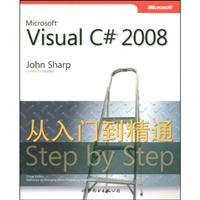
| Your hands-on, step-by-step guide to learninghow to build applications with Visual C#.Teach yourself Visual C# 200S--one step at a time. Ideal fordevelopers with fundamental computer programming skills,this practical tutorial delivers hands-on guidance for creatingC# components and Windows~-based applications.Discover how to:Declare variables, write statements, create operators, andcall methodsCatch and handle exceptionsManage resources by using destructors and garbage collectionDefine properties and indexers, and handle eventsUse generics to define type-safe classes and collectionsWork with data by using Microsoft ADO. NET and LanguageIntegrated Query (LINQ)Create interactive Web applications and build Web servicesBuild rich user interfaces with Windows PresentationFoundation |
| John Sharp is a principal technologist at Content Master, part of CM Group Ltd, a technical authoring and consulting company. An expert on developing applications with the Microsoft .NET Framework and interoperability issues, John has produced numerous tutorials, white papers, and presentations on distributed systems, Web services, and the C# language. He is the author of several popular books, including Microsoft Windows Communication Foundation Step by Step. |
| Part l Introducing Microsoft Visual C# and Microsoft Visual Studio 2008 1 Welcome to C# 2 Working with Variables, Operators, and Expressions 3 Writing Methods and Applying Scope 4 Using Decision Statements 5 Using Compound Assignment and Iteration Statements 6 Managing Errors and Exceptions Part II Understanding the C# Language 7 Creating and Managing Classes and Objects 8 Understanding Values and References 9 Creating Value Types with Enumerations and Structures 10 Using Arrays and Collections 11 Understanding Parameter Arrays 12 Working with Inheritance 13 Creating Interfaces and Defining Abstract Classes 14 Using Garbage Collection and Resource Management Part III Creating Components 15 Implementing Properties to Access Fields 16 Using Indexers 17 Interrupting Program Flow and Handling Events 18 Introducing Generics 19 Enumerating Collections 20 Querying In-Memory Data by Using Query Expressions 21 Operator Overloading Part IV Working with Windows Applications 22 Introducing Windows Presentation Foundation 23 Working with Menus and Dialog Boxes 24 Performing Validation Part V Managing Data 25 Querying Information in a Database 26 Displaying and Editing Data by Using Data Binding Part VI Building Web Applications 27 Introducing ASP.NET 28 Understanding Web Forms Validation Controls 29 Protecting a Web Site and Accessing Data with Web Forms 30 Creating and Using a Web Service Index |

 内容加载中,请稍后...




商品评论(0条)