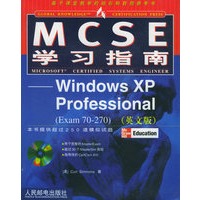
| 唯一一本基于超过20万小时的IT培训经验编写的认证学习指南。 100%的知识覆盖率:详细阐述了70-216考试的所有正式测试目标。 第一手经验:在课堂实验之后,提供了按步骤操作的指导材料。 考试注意事项:根据已往的考试经验提出了警告信息,指出最棘手的考试题目,以及如何正确地回答这些问题。 三类练习问题:以知识、特定问题和综合问题为基础,所有问题均提供了深入解答。 |
| 1 Introduction to the Windows XP Professional Exam What Is Installing,Configuring,and Administering Microsoft Windows XP Professional? What Is Windows XP Professional? Windows 2000 Tools Overview of Exam 70-270 Audience Profile Getting Ready Exploring the Exam Objectives What Is Covered in this Book Chapter 2: Performing an Attended Installation of Windows XP Professional Chapter 3: Performing an Unattended Installation of Windows XP Professional Chapter 4: Configuring and Troubleshooting the Desktop Environment Chapter 5: Managing Windows XP Professional Hardware Chapter 6: Configure and Manage I/O Devices Chapter 7: Configuring Disk Drives and Disk Volumes Chapter 8: Printing and Faxing Chapter 9: Resource Administration Chapter 10: Networking Chapter 11: Internet Usage,Support,and Security Chapter 12: Configuring,Managing,and Troubleshooting Security Chapter 13: Monitoring and Optimizing System Performance and Reliability What You Should Already Know Windows 2000 TCP/IP Networking Global Computing Knowledge Two-Minute Drill Q&A Self Test Self Test Answers 2 Performing an Attended Installation of Windows XP Professional Planning a Windows XP Professional Installation Minimum Hardware Requirements Network Considerations Hard Disk Configuration Service Packs Exercise 2-1: Planning a Windows XP Installation Upgrade Considerations Upgrade Compatibility Running a Backup Application Compatibility Exercise 2-2: Preparing for an Upgrade Installing Windows XP Professional Installing from CD-ROM Exercise 2-3: Installing Windows XP Professional Installing from a Network Share Using Winnt32.exe Performing Post-Installation Updates and Product Activation Post-Installation Updates Product Activation Exercise 2-4: Activating Windows XP Professional Migrating Existing User Environments to Windows XP Exercise 2-5: Transferring Settings from a Downlevel Operating System Exercise 2-6: Migrating Settings and Files to Windows XP Troubleshooting Failed Installations Two-Minute Drill Q&A Self Test Lab Question Self Test Answers Lab Answer 3 Performing an Unattended Installation of Windows XP Professional Installing Windows XP Professional Using Setup Manager Exercise 3-1: Extracting the Deploy.cab Files Exercise 3-2: Using Setup Manager to Create an Answer File Installing Windows XP Professional Using Remote Installation Service Installing RIS Exercise 3-3: Setting up the RIS Server Configuring the RIS Server Exercise 3-4: Configuring the RIS Server Authorizing the RIS Server in the Active Directory Exercise 3-5: Authorizing the RIS Server Creating an RIS Boot Disk Exercise 3-6: Creating an RIS Boot Disk Remote Installation Preparation Wizard Exercise 3-7: Creating a RIPrep Image Controlling RIS Images with Group Policy Exercise 3-8: Controlling RIS Images with Group Policy Using an Answer File with an RIS Image Solving RIS Problems Installing Windows XP Professional Using System Preparation Exercise 3-9: Running Sysprep Two-Minute Drill Q&A Self Test Lab Question Self Test Answers Lab Answer 4 Configuring and Troubleshooting the Desktop Environment 5 Managing Windows XP Hardwar 6 Configure and Manage Windows XP Devices 7 Configuring Disk Drives and Volumes 8 Configure and Manage Windows XP Printing and Faxing 9 Resource Administration 10 Networking 11 Internet and Remote Networking 12 Configuring,Managing,and Troubleshooting Security 13 Monitoring and Optimizing System Performance and Reliability A About the CD B About the Web Site Glossary Index |
 内容加载中,请稍后...




商品评论(0条)