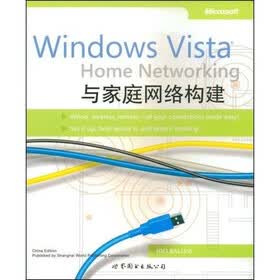
| CONNECT your home the easy way!This straightforward book guides you th rough the basics of setting up a simple network for your Windows Vista-based PCs.Its loaded with easy。to。follow procedures and plenty of screen shots t0 help you do it yourself without the hassle.Organized for quick reference when you need it,thisis the perfect resource to help you get you r home network running——and keep it running smoothly!Discover how to:Set up the right netwo rk fo r you r home wired,WI reless,remote Sha re and share alIke:Inte rnet connections,digital media,p rinte rs,and mo re!C reate u set accounts and set pa rentaI control S fo r family computing with peace of mind Lock the deadbolt——set up secu rity featu res to help keep you r PCs healthy Set up Windows。Home Serve r fo r simplified data sto rage,backup,and recove ry Troubleshoot commort issues and perform easy network maintenanceJoli Ballew Microsoft MVP for Windows is a writer trainer and digitamediaexpert shes theauthor of several popular books including Microsoft Windows XP Do Amazing and BreakthroughWsndows Vista Find your Favorite Feature and Discover the Poss bflihesShe also Writes columns about Windows XP and Windows Vinafor Mifcrosoft.com. |
| Joli Ballew ,MicrosoftMVP for Windows is awriter trainer and digitamediaexpert shes theauthor of several popular booksincluding Microsoft Windows XP DoAmazing and BreakthroughWsndows Vista Find your FavoriteFeature and Discover the PossbflihesShe also Writes columns aboutWindows XP and Wjndows Vinafor Mifcrosoft.com. |
| Introduction Part Ⅰ Chapter 1 Introduction to Networking What Windows Vista Offers Why You Need a Network Types of Network Configurations Types of Network Hardware Additional Network Terms to Know Chapter Summary Chapter 2 Get Ready! Configure Your Windows Vista-Based PC Configure Windows Firewall Configure Windows Defender Chapter Summary Part Ⅱ Chapter 3 The Direct Connection Network Create Workgroup Names Physically Connect the Two PCs Turn On Network Discovery on the Windows Vista-Based PC Share the Hosts Internet Connection Add a Second Windows Vista-Based PC Add a Windows XP-Based PC Get Help for Networking Older PCs Chapter Summary Chapter 4 The Wired Ethernet Network Connect the Hardware Personalize Your Network Add PCs Chapter Summary Chapter 5 The Wireless Network Get Started with Wireless Networking Connect the Hardware Add a Windows Vista-Based PC Chapter Summary Chapter 6 The Network and Sharing Center Set Up Your Network Locations Configure Network Discovery Share Files Share the Public Folder Share Printers Use Password Protection Share Media View Computers and Devices Chapter Summary Part Ⅲ Chapter 7 Create User Accounts and Set Parental Controls Understand User Accounts on the Single PC Understand User Accounts on the Networked PC Understand Types of Accounts Create a User Account with a Password Set Advanced Account Properties Set Parental Controls View Parental Control Reports Chapter Summary Chapter 8 Configure and Manage Shared Folders Create Your Own Shared Folders Understand Default Permissions Understand Security Permissions Access Shared Folders from a Windows Vista-Based PC Access Shared Folders from a Windows XP-Based PC Chapter Summary Chapter 9 Turn On and Manage Printer Sharing Share a Printer with the Windows Vista Operating System Add Drivers Set Security Permissions Configure Advanced Printer Settings Access a Local Printer Add a Shared Printer Connected to Another PC Chapter Summary Part Ⅳ Chapter 10 Create a Windows Home Server Understand What Windows Home Server Offers Know the System Requirements Run Windows Home Server Setup Troubleshoot Configure Windows Home Server Settings Manage Windows Home Server Configure the Backup Settings Configure the Windows Home Server Settings View the Home Network Health Explore Additional Features Chapter Summary Chapter 11 Work with Offline Files Understand Offline Files Turn On the Offline Files Feature Select Offline Files Work Offline Learn About Sync Center and Synchronization Use Sync Center and Offline Files Create a Sync Partnership Chapter Summary Chapter 12 Add an Xbox 360 Opt for the Xbox Meet Network Requirements Connect the Xbox 360 to the Network Configure the Xbox 360 Configure the Windows Vista-Based PC Understand What Media Can Be Shared Chapter Summary Chapter 13 Access a Network Remotely Know the System and Network Requirements Create a Virtual Private Network Set Up the Host PC Make the Connection Configure Additional Settings Chapter Summary Chapter 14 Maintain a Healthy Network Use Windows Security Center Protect Your Computer from Viruses Work with User Account Control Use Windows Update Use Windows Defender Use Windows Firewall Use Windows Backup and Restore Center Take Care of Your Hardware Chapter Summary Part Ⅴ Appendix Glossary Index |
 内容加载中,请稍后...







商品评论(0条)