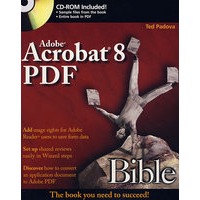
最 低 价:¥365.40

| 作者简介: Ted Padova is the former chief executive officer and managing partner of The Image Source Digital Imaging and Photo Finishing Centers of Ventura and Thousand Oaks, California. He has been involved in digital imaging since founding a service bureau in 1990. He retired from his company in 2005 and now spends his time writing and speaking on Acrobat and PDF. |
| About the Author. Preface. Acknowledgments. Introduction. Part I: Welcome to Adobe Acrobat. Chapter 1: Getting to Know Adobe Acrobat. Chapter 2: Using Acrobat Viewers. Chapter 3: Getting Started in Adobe Acrobat. Chapter 4: Getting Familiar with Adobe Reader. Chapter 5: Viewing and Navigating PDF Files. Chapter 6: Searching PDF Files. Part II: Converting Documents to PDF. Chapter 7: Converting Files to PDF. Chapter 8: Using PDFMaker with Microsoft Programs. Chapter 9: Exporting to PDF from Authoring Applications. Chapter 10: Using Acrobat Distiller. Part III: Editing PDFs. Chapter 11: Saving and Versioning Files. Chapter 12: Combining, Packaging, and Attaching PDFs. Chapter 13: Editing Text. Chapter 14: Redacting PDFs. Chapter 15: Editing Images and Objects. Chapter 16: Editing Pages. Chapter 17: Scanning and OCR Conversion. Chapter 18: Repurposing and Batch Processing. Chapter 19: Enabling Features for Adobe Reader. Part IV: PDF Interactivity. Chapter 20: Review and Markup. Chapter 21: Working with Review Sessions. Chapter 22: Links and Actions. Chapter 23: Multimedia and PDFs. Chapter 24: Working with Layers. Chapter 25: Accessibility and Tagged PDF Files Part V: PDF Publishing. Chapter 26: Authentication and Security. Chapter 27: PDFs and the Web Chapter 28: PDFs and Presentations Chapter 29: Using Acrobat Connect Chapter 30: PDFs and eBooks. Chapter 31: Printing to Desktop Color Printers Chapter 32: Commercial Printing and Prepress. Part VI: Acrobat PDF and LiveCycle Designer Forms. Chapter 33: Designing PDF Forms (Windows Only). Chapter 34: Understanding Acrobat Form Tools. Chapter 35: Working with Form Data. Chapter 36: Understanding JavaScript. Appendix: Using the CD-ROM. Index. End-User License Agreemen |


 内容加载中,请稍后...


商品评论(0条)