淘宝网-聚划算
天猫
站点地图
帮助
网上购物 货比三家
首页
图书
音像
手机
美妆
百货
IT产品
数码
家电
母婴
服饰
鞋子
成人
健康
居家
手表首饰
办公
汽车用品
食品
其它
女用仿真
戏曲
惠氏
复印机
牛仔裤
等离子电视
明治
国产表店
数码伴侣
男根套环
充气娃娃
女鞋
电影/戏剧
电池/充电器
扫描仪/扫描枪
液晶电视
全部商品分类
图书
数码
手机
家电
IT产品
美妆
母婴用品
潮流服装
时尚鞋类
成人用品
食品保健
居家用品
办公用品
影视音乐
汽车用品
所有商品分类>>
热搜
:
保湿
加湿器
诺基亚
您现在的位置:
快乐比价网
>
办公
>
办公设备
>
计算器
>
商品详情
卡西欧FX-7400GII卡西欧图形计算器卡西欧7400GII正品现货!
分享到:
最 低 价:
¥348.00
原 价:¥798.00
价格比较
商品详情
商品评论(
0
条)
卡西欧FX-7400GII卡西欧图形计算器卡西欧7400GII现货!
送货上门
价格
348.00元
商品详情
品牌:卡西欧
fx-7400GII
点击放大
■2009年推出的新款图形、编程计算器
■中学数学辅助学习机型
■
图标式主菜单,操作方便
尺寸:13.8(H)X 80(W)X162 (D)mm
重量:约100g(含电池)
电池使用寿命:光标闪现连续显示约17000小时
产品特点
适用人群
产品特点
高对比度显示(64*128点像素)
高速CPU
内存情况:28 000 B RAM
图标
模块名称
基本描述
RUN(运算)
使用此模式进行算术运算与函数运算,以及进行有关二进制、八进制、十进制与十六进制的计算。
STAT(统计)
使用此模式进行单变量(标准差)与双变量(回归)统计计算、测试、分析数据并绘制统计图形。
GRAPH(图像)
使用吃模式存储图形函数并利用这些函数绘制图形。
<li title="品牌">品牌: Casio/卡西欧 </li> <li title="卡西欧型号">卡西欧型号: FX-7400GII </li> <li title="类型">类型: 图形编程型 </li> <li title="类型"> <font style="BACKGROUND-COLOR: #33ff66" size="7">全新正品最新版fx-7400GII</font>PREFIX = WEBX <div> <h4 style="DISPLAY: none">宝贝详情</h4> <div> <p> </p> <p><img alt="" align="absMiddle" src="http://img01.taobaocdn.com/imgextra/i1/170831478/T2kQlhXk8XXXXXXXXX_!!170831478.jpg" /></p><table style="TABLE-LAYOUT: fixed" border="0"><tbody><tr><td style="WORD-BREAK: break-all; LINE-HEIGHT: 1.5"> <table cellspacing="0" cellpadding="5" width="100%" border="0"><tbody><tr><td valign="top" width="170"><br /><table cellspacing="0" cellpadding="0" align="center" border="0"><tbody><tr><td width="18"> </td> <td width="70"> </td> <td> </td> </tr></tbody></table></td> <td valign="top"> </td> </tr></tbody></table></td> </tr></tbody></table><p> </p> <p> </p> <p> </p><table cellspacing="0" cellpadding="0" width="100%" border="0"><tbody><tr><td height="10"> </td> </tr></tbody></table><table cellspacing="0" cellpadding="5" width="100%" border="0"><tbody><tr><td valign="top" width="170"> <table cellspacing="0" cellpadding="0" width="100%" border="0"><tbody><tr><td bgcolor="#00529b"> <table cellspacing="2" cellpadding="0" width="100%" border="0"><tbody><tr><td align="center">fx-7400GII</td> </tr><tr><td bgcolor="#ffffff" height="2"> </td> </tr><tr><td bgcolor="#ffffff"> <table cellspacing="0" cellpadding="10" width="100%" border="0"><tbody><tr><td valign="middle" align="center"><a href="http://item.taobao.com/item.htm?id=4270152498&ad_id=&am_id=&cm_id=&pm_id=#"><img height="210" alt="" border="0" src="http://www.casio.com.cn/resource/files/1/Fx-7400GⅡ.jpg" /></a></td> </tr></tbody></table></td> </tr></tbody></table></td> </tr><tr><td valign="top" align="right"> </td> </tr></tbody></table><br /><table cellspacing="0" cellpadding="0" align="center" border="0"><tbody><tr><td width="18"><img height="14" alt="" width="14" src="http://www.casio.com.cn/images/pic_arrow_03.gif" /></td> <td width="70"><a href="http://item.taobao.com/item.htm?id=4270152498&ad_id=&am_id=&cm_id=&pm_id=#"><font color="#3366cc">点击放大</font></a></td> <td><font color="#3366cc"><img height="13" alt="" width="12" border="0" src="http://www.casio.com.cn/images/pic_arrow_08.gif" /></font></td> </tr></tbody></table></td> <td valign="top"> <table cellspacing="0" cellpadding="0" width="100%" border="0"><tbody><tr><td style="LINE-HEIGHT: 1.5" valign="top" height="170"> <table cellspacing="0" cellpadding="0" width="100%" border="0"><tbody><tr><td valign="top"> <table cellspacing="0" cellpadding="0" width="100%" border="0"><tbody><tr><td valign="top" height="170"> <table cellspacing="0" cellpadding="0" width="100%" border="0"><tbody><tr><td><strong>■2009年推出的新款图形、编程计算器</strong></td> </tr><tr><td><strong>■中学数学辅助学习机型</strong></td> </tr><tr><td> <div> <div>■<strong>图标式主菜单,操作方便</strong></div> <div></div> </div> </td> </tr><tr><td height="30"> </td> </tr><tr><td><strong>尺寸:13.8(H)X 80(W)X162 (D)mm<br /> 重量:约100g(含电池)<br /> 电池使用寿命:光标闪现连续显示约17000小时</strong></td> </tr></tbody></table></td> </tr></tbody></table></td> </tr></tbody></table><br /><br /></td> </tr></tbody></table></td> </tr><tr><td colspan="2"> <table cellspacing="0" cellpadding="0" width="100%" border="0"><tbody><tr><td bgcolor="#126ab1"><img height="1" alt="" width="1" src="http://www.casio.com.cn/product/dc.tpl/images/pic_spaces.gif" /></td> </tr></tbody></table></td> </tr></tbody></table><table cellspacing="0" cellpadding="0" border="0"><tbody><tr><td width="140"> <table cellspacing="0" cellpadding="2" width="100%" border="0"><tbody><tr><td width="16"><img height="14" alt="" width="14" src="http://www.casio.com.cn/images/pic_arrow_11.gif" /></td> <td><a href="http://item.taobao.com/item.htm?id=4270152498&ad_id=&am_id=&cm_id=&pm_id=#"><font color="#3366cc">产品特点</font></a></td> </tr></tbody></table></td> <td width="140"> <table cellspacing="0" cellpadding="2" width="100%" border="0"><tbody><tr><td width="16"><font color="#3366cc"><img height="14" alt="" width="14" src="http://www.casio.com.cn/images/pic_arrow_11.gif" /></font></td> <td><a href="http://item.taobao.com/item.htm?id=4270152498&ad_id=&am_id=&cm_id=&pm_id=#"><font color="#3366cc">适用人群</font></a></td> </tr></tbody></table></td> </tr></tbody></table><table cellspacing="0" cellpadding="5" width="100%" border="0"><tbody><tr><td style="BORDER-BOTTOM: #2ab2ca 1px solid" bgcolor="#cbf6fd" height="15"> 产品特点</td> </tr></tbody></table><table cellspacing="0" cellpadding="10" width="100%" border="0"><tbody><tr><td style="LINE-HEIGHT: 1.5"> <table cellspacing="0" cellpadding="0" width="100%" border="0"><tbody><tr><td valign="top" height="10"> </td> </tr><tr><td> <table cellspacing="0" cellpadding="0" width="100%" border="0"><tbody><tr><td width="15"> </td> <td align="left" width="18"><img height="9" alt="" width="9" src="http://www.casio.com.cn/cal/images/new/blue_dot.jpg" /></td> <td valign="bottom"><strong>高对比度显示(64*128点像素)</strong></td> </tr><tr><td> </td> <td align="left"><img height="9" alt="" width="9" src="http://www.casio.com.cn/cal/images/new/blue_dot.jpg" /></td> <td valign="bottom"><strong>高速CPU</strong></td> </tr><tr><td> </td> <td align="left"><img height="9" alt="" width="9" src="http://www.casio.com.cn/cal/images/new/blue_dot.jpg" /></td> <td valign="bottom"><strong>内存情况:28 000 B RAM</strong></td> </tr></tbody></table><table cellspacing="2" cellpadding="0" width="100%" bgcolor="#e6e6e6" border="0"><tbody><tr><td valign="top" width="31%"> <table cellspacing="1" cellpadding="0" width="100%" border="0"><tbody><tr><td valign="middle" align="center" width="99" bgcolor="#f5f5f5"><strong>图标</strong></td> <td align="center" width="148" bgcolor="#f5f5f5" height="45"> <p><strong>模块名称</strong></p> </td> <td align="center" width="319" bgcolor="#f5f5f5"><strong>基本描述</strong></td> </tr><tr><td valign="middle" align="center" bgcolor="#ffffff"><img alt="" width="50" src="http://www.casio.com.cn/cal/images/tx/8.jpg" /></td> <td align="center" bgcolor="#ffffff" height="30"> <div>RUN(运算)</div> </td> <td bgcolor="#ffffff"> <p>使用此模式进行算术运算与函数运算,以及进行有关二进制、八进制、十进制与十六进制的计算。</p> </td> </tr><tr><td valign="middle" align="center" bgcolor="#f5f5f5"><img alt="" width="50" src="http://www.casio.com.cn/cal/images/tx/9.jpg" /></td> <td align="center" bgcolor="#f5f5f5" height="45"> <div>STAT(统计)</div> </td> <td bgcolor="#f5f5f5">使用此模式进行单变量(标准差)与双变量(回归)统计计算、测试、分析数据并绘制统计图形。</td> </tr><tr><td valign="middle" align="center" bgcolor="#ffffff"><img alt="" width="50" src="http://www.casio.com.cn/cal/images/tx/10.jpg" /></td> <td align="center" bgcolor="#ffffff" height="45"> <div> <div>GRAPH(图像)</div> <div></div> </div> </td> <td bgcolor="#ffffff">使用吃模式存储图形函数并利用这些函数绘制图形。</td> </tr><tr><td valign="middle" align="center" bgcolor="#f5f5f5"><img alt="" width="50" src="http://www.casio.com.cn/cal/images/tx/11.jpg" /></td> <td align="center" bgcolor="#f5f5f5" height="30"> <div>TABLE(列表)</div> </td> <td bgcolor="#f5f5f5">使用此模式存储函数,生成具有不同解(随着代入函数变量的值改变而改变)的数值表格,并绘制图形。</td> </tr><tr><td valign="middle" align="center" bgcolor="#ffffff"><img alt="" width="50" src="http://www.casio.com.cn/cal/images/tx/12.jpg" /></td> <td align="center" bgcolor="#ffffff" height="30"> <div>EQUA(方程)</div> </td> <td bgcolor="#ffffff">使用此模式,可求解带用2至6个未知数的线性方程以及2至6次的高阶方程。</td> </tr><tr><td valign="middle" align="center" bgcolor="#f5f5f5"><img alt="" width="50" src="http://www.casio.com.cn/cal/images/tx/13.jpg" /></td> <td align="center" bgcolor="#f5f5f5" height="30"> <div>PRGM(程序)</div> </td> <td bgcolor="#f5f5f5">使用此模式可将程序存储在程序区并运行程序。</td> </tr><tr><td valign="middle" align="center" bgcolor="#ffffff"><img alt="" width="50" src="http://www.casio.com.cn/cal/images/tx/14.jpg" /></td> <td align="center" bgcolor="#ffffff" height="30"> <div>LINK(关联)</div> </td> <td bgcolor="#ffffff">使用此模式,可将存储内容或者备份数据传输至另一台设备或PC机。</td> </tr><tr><td valign="middle" align="center" bgcolor="#f5f5f5"><img alt="" width="50" src="http://www.casio.com.cn/cal/images/tx/15.jpg" /></td> <td align="center" bgcolor="#f5f5f5" height="30"> <div> <div>MEMORY(管理)</div> <div></div> </div> </td> <td bgcolor="#f5f5f5">使用此模式,可管理存储器中的数据。</td> </tr><tr><td valign="middle" align="center" bgcolor="#ffffff"><img alt="" width="50" src="http://www.casio.com.cn/cal/images/tx/16.jpg" /></td> <td align="center" bgcolor="#ffffff" height="30"> <div> <div>SYSTEM(设置)</div> <div></div> </div> </td> <td bgcolor="#ffffff">使用此模式可初始化存储器、调节对比度和进行其他系统设置</td> </tr></tbody></table></td> </tr></tbody></table></td> </tr></tbody></table></td> </tr></tbody></table></div> </div> </li>
商品评论(0条)
暂无评论!
相关新品推荐
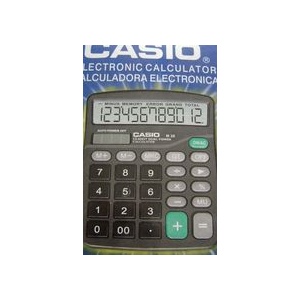
卡西欧(Casio)计算器(12位),#DX-12S
¥
82.00
CASIO卡西欧MS-10VC亮彩计算器 亮橙/玫红/冰蓝/嫩绿色 原装正品
¥
56.00
佳能(Canon)计算器 (中型桌面) #AS-1200
¥
68.00
卡西欧计算器fx-4800p 科学函数 折叠型 1个装
¥
2630.00
卡西欧太阳能M-28计算器 12位 超大显示 1个装
¥
36.00
浏览更多同类商品
计算器
惠普(HP)10s 科学计算器
佳能(CANON)台式计算器 WS-2212G 计算器
佳能(Canon)WS-2212G 电子计算器
得力通用型桌面计算器-1632
惠普(HP)12c platinum 金融计算器
佳能(Canon)LS-120H 12位计算器
佳能(Canon)HS-20TG 环保桌面式计算器
佳能(Canon)LS-1200H 12位计算器
更多>>
您的浏览历史
内容加载中,请稍后...


 内容加载中,请稍后...


商品评论(0条)