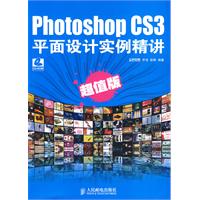
| 《Photoshop CS3平面设计实例精讲(超值版)》是由人民邮电出版社出版的。 |
| chapter 01 卡片设计 effect 01 个性名片设计 step 1 绘制背景效果 step 2 绘制海浪 step 3 绘制标志 step 4 输入文字信息 effect 02 商业名片设计 step 1 制作名片背景 step 2 绘制名片左边图形 step 3 制作水晶按钮 step 4 制作logo step 5 制作文字特效 effect 03 优惠卡设计 step 1 绘制背景 step 2 绘制花纹 step 3 绘制边框 step 4 绘制花纹效果 step 5 添加龙凤图案 step 6 绘制眉头 step 7 制作logo特效和文字特效 step 8 绘制音符特效 effect 04 票证设计 step 1 制作藏式花边 step 2 拼排花纹 step 3 合成布宫图片 chapter 02 dm单设计 effect 01 三折页广告设计 step 1 绘制轮廓 step 2 绘制页面效果 step 3 绘制中间页和右页核心背景 step 4 绘制月饼 step 5 绘制特效字体 step 6 绘制荷花 step 7 制作logo step 8 绘制左页效果 effect 02 单页广告设计 step 1 制作隔板 step 2 选出美女 step 3 制作背景特效 step 4 制作香水瓶特效 step 5 制作文字特效 effect 03 直邮广告设计 step 1 绘制背景 step 2 绘制音符 step 3 绘制飘带 step 4 绘制mp3 step 5 输入文字 chapter 03 报刊杂志广告设计 effect 01 单色报纸广告 step 1 设置描边效果 step 2 渐变字母 step 3 制作文字特效 step 4 制作logo step 5 输入文字 effect 02 彩色报纸广告 step 1 绘制整体背景 step 2 绘制高亮背景 step 3 制作星光 step 4 制作文字背景层 step 5 绘制logo和名字特效 step 6 制作文字特效 effect 03 杂志广告设计 step 1 制作分割背景 step 2 绘制青梨 step 3 绘制飘带 step 4 制作外光影和投影效果 step 5 制作分割特效 step 6 绘制右页部分 chapter 04 户外广告设计 effect 01 x展架广告设计 step 1 制作村庄风景 step 2 制作森林瀑布效果 step 3 制作建筑效果 step 4 制作葡萄酒效果 step 5 制作飘带背景 effect 02 户外海报设计 step 1 制作暗调飘带 step 2 绘制模糊飘带 step 3 制作亮光飘带 step 4 制作亮光飘带2 step 5 制作发光球 step 6 制作玫瑰花瓣 effect 03 广告牌设计 step 1 制作海效果 step 2 制作天空效果 step 3 制作立体文字效果 step 4 制作光线效果 step 5 制作金色字体效果 step 6 添加logo和企业名称 chapter 05 画册和菜谱设计 effect 01 企业画册设计 step 1 绘制整体背景 step 2 绘制晶格图案 step 3 绘制大雁群1 step 4 绘制雁群2 step 5 制作楼盘特效 effect 02 产品画册设计 step 1 制作背景特效 step 2 制作电动车特效 step 3 绘制蝴蝶 effect 03 菜谱设计 step 1 绘制封面背景 step 2 制作日出群山效果 step 3 制作花纹和门花效果 step 4 绘制圆点效果 step 5 制作酒店名字特效 step 6 制作水墨底纹背景效果 step 7 制作菜谱立体效果 chapter 06 封面和装帧设计 effect 01 系列封面设计 step 1 制作封面效果 step 2 制作鸽子和木雕特效 step 3 制作书脊效果 step 4 制作封底效果 step 5 制作立体效果的背景特效 step 6 制作正面视图效果 step 7 制作背面立体效果 effect 02 宣传封套设计 step 1 绘制背景效果 step 2 绘制拉链效果 step 3 绘制拉锁效果 step 4 绘制弯把效果 step 5 绘制拉把效果 step 6 绘制文字特效 effect 03 精装书籍封面设计 step 1 绘制背景效果 step 2 制作星光效果 step 3 制作光束和光体效果 step 4 制作书名特效 step 5 制作书脊效果 step 6 制作封底效果 step 7 制作立体效果 step 8 制作金线效果 chapter 07 包装设计 effect 01 食品包装设计 step 1 制作正面轮廓 step 2 制作磨砂效果 step 3 制作中心信息栏 step 4 制作巧克力围子特效 step 5 制作槟榔文字特效 step 6 制作印章标志 step 7 制作挂标 step 8 制作绳索 step 9 制作包装袋的侧面效果 step 10 制作糖果 effect 02 饮品包装设计 step 1 制作立体轮廓效果 step 2 制作封盖图案效果 step 3 制作封盖右侧底纹 step 4 制作茶特效 step 5 制作包装盒边花 step 6 制作左侧面内盒效果 effect 03 酒类包装设计 step 1 制作平面图 step 2 制作包装盒的背面图 step 3 制作文字特效 step 4 制作logo和印章特效 step 5 制作正、右侧和中心效果 effect 04 cd盒包装设计 step 1 制作背景效果 step 2 制作盒体效果 step 3 制作槽口效果 step 4 制作盒扣效果 step 5 制作背盖效果 step 6 制作cd盒盘槽效果 step 7 制作cd盒立体效果 step 8 制作光盘模型 step 9 制作cd盒花纹效果 effect 05 礼品盒包装设计 step 1 制作盒盖模型 step 2 制作花纹特效 step 3 制作盒盖中心部分 step 4 制作侧面效果 step 5 制作扣子效果 step 6 制作金色丝绸效果 step 7 制作内盒的边侧效果 step 8 制作外侧面效果 step 9 制作盒盖效果 step 10 制作盒盖内侧效果 effect 06 洗发水包装设计 step 1 制作瓶盖效果 step 2 制作侧边和边框效果 step 3 制作瓶颈效果 step 4 制作瓶体效果 step 5 制作瓶底效果 step 6 制作企业标志 step 7 制作洗发水标志 step 8 制作首乌效果 effect 07 药品包装设计 step 1 制作分割背景 step 2 制作立体模型 step 3 制作半开红门 step 4 制作信息栏 step 5 制作下侧面和右侧面效果 chapter 08 企业vi设计 effect 01 标志设计 step 1 制作标志 step 2 制作文字效果 effect 02 应用和扩展 step 1 标志释义 step 2 标准图形制作规范及使用规范 step 3 信封、信笺 step 4 太阳伞 chapter 09 网页素材制作 effect 01 制作无缝拼接网页背景 step 1 制作无缝拼接的网页背景 step 2 修补无缝拼接的接缝 step 3 制作较为复杂的无缝拼接背景 effect 02 制作简洁的网页按钮 step 1 确定各个部件的形状,并分别放置在不同图层 step 2 着色并添加效果 step 3 输入文字并添加装饰效果 effect 03 设计精美的网页按钮 step 1 确定各个部件的形状 step 2 添加图层样式和质感 step 3 绘制高光效果及细节 step 4 输入文字并添加装饰效果 effect 04 gif动画和网站logo制作 step 1 学习gif动画的基本原理 step 2 制作红色小球移动的动画 step 3 制作黑白变化的小球动画 step 4 制作颜色变化的小球动画 step 5 制作文字变形动画 step 6 制作完整的gif动画logo chapter 10 插画 effect 01 童年 step 1 确定造型以及图层的分布 step 2 为每个物体添加明暗效果 step 3 为画面着色 step 4 添加细节 effect 02 大兵 step 1 确定造型以及图层的分布 step 2 为每个物体添加明暗效果 step 3 为画面着色并添加细节 step 4 绘制环境并调整整体效果 effect 03 魔镜 step 1 绘制石壁 step 2 绘制火焰 step 3 制作带有饰纹的金属镜框 step 4 绘制镜面并调整画面效果 effect 04 宠物 step 1 确定造型以及图层的分布 step 2 添加明暗效果并着色 step 3 绘制绒毛效果 step 4 细致刻画鼻和眼的效果 step 5 绘制背景调整画面 chapter 11 工业产品外观表现 effect 01 摄像头 step 1 确定造型并合理分布图层 step 2 为摄像头着色并表现质感 step 3 绘制环境和倒影效果 effect 02 手机 step 1 确定造型并着色 step 2 绘制按键 step 3 制作听筒效果 step 4 制作键盘上的数字与符号 step 5 完善手机效果 step 6 绘制背景 effect 03 电吹风 step 1 确定造型并合理分布图层 step 2 添加明暗效果 step 3 着色并表现质感 step 4 添加附属零件 step 5 绘制背景调整效果 effect 04 mp3播放器 step 1 确定造型并合理分布图层 step 2 着色并表现质感 step 3 添加按钮等附属零件 step 4 制作背景 |


 内容加载中,请稍后...







商品评论(0条)