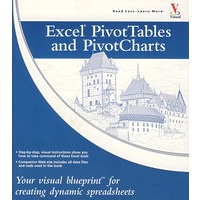
最 低 价:¥219.60
定 价:¥243.99
作 者:PaulMcFedries 著 著
出 版 社:Oversea Publishing House
出版时间:2006-12-1
I S B N:9780471784890

| Paul McFedries is the president of Logophilia Limited, a technical writing company. While now primarily a writer, Paul has worked as a programmer, consultant, and Web site developer. Paul has written over 40 books that have sold over three million copies worldwide. These books include the Wiley titles Teach Yourself VISUALLY Windows XP, Second Edition, Top 100 Simplified Tips and Tricks for Windows XP, Second Edition, and Teach Yourself VISUALLY Computers, Fourth Edition. |
| HOW TO USE THIS BOOK 1 UNDERSTANDING PIVOTTABLES Understanding Data Analysis Introducing the PivotTable Learn PivotTable Benefits Survey PivotTable Uses Explore PivotTable Features Introducing the PivotChart 2 BUILDING A PIVOTTABLE Prepare Your Worksheet Data Create a List for a PivotTable Report Build a Basic PivotTable from an Excel List Add Fields Using the PivotTable Wizard Re-create an Existing PivotTable 3 MANIPULATING YOUR PIVOTTABLE Turn the PivotTable Toolbar On and Off Customize the PivotTable Toolbar Select PivotTable Items Remove a PivotTable Field Refresh PivotTable Data Display the Details Behind PivotTable Data Create a Chart from PivotTable Data Add Multiple Fields to the Row or Column Area Add Multiple Fields to the Data Area Add Multiple Fields to the Page Area Publish a PivotTable to a Web Page Convert a PivotTable to Regular Data Print a PivotTable Delete a PivotTable 4 CHANGING THE PIVOTTABLE VIEW Move a Field to a Different Area Display a Different Page Change the Order of Fields Within an Area Sort PivotTable Data with AutoSort Move Row and Column Items Show Only the Top 10 Items Hide Items in a Row or Column Field Show Hidden Items in a Row or Column Field Show Pages as Worksheets Group Numeric Values Group Date and Time Values Group Text Values Hide Group Details Show Group Details Ungroup Values Change the Page Area Layout 5 CUSTOMIZING PIVOTTABLE FIELDS Rename a PivotTable Field Rename a PivotTable Item Format a PivotTable Cell Apply a Numeric Format to PivotTable Data Apply a Date Format to PivotTable Data Apply a Conditional Format to PivotTable Data Show Items with No Data Exclude Items from a Page Field 6 SETTING PIVOTTABLE OPTIONS Apply an AutoFormat Preserve PivotTable Formatting Rename the PivotTable Turn Off Grand Totals Merge Item Labels Specify Characters for Errors and Empty Cells Protect a PivotTable 7 PERFORMING PIVOTTABLE CALCULATIONS Change the PivotTable Summary Calculation Create a Difference Summary Calculation Create a Percentage Summary Calculation Create a Running Total Summary Calculation Create an Index Summary Calculation Turn Off Subtotals for a Field Display Multiple Subtotals for a Field Include Hidden Pages in PivotTable Results 8 CREATING CUSTOM PIVOTTABLE CALCULATIONS Introducing Custom Calculations Understanding Custom Calculation Limitations Insert a Custom Calculated Field Insert a Custom Calculated Item Edit a Custom Calculation Change the Solve Order of Calculated Items List Your Custom Calculations Delete a Custom Calculation 9 CREATING A PIVOTCHART Understanding PivotChart Limitations Create a PivotChart from a PivotTable Create a PivotChart from an Excel List Create a PivotChart Beside a PivotTable Move a PivotChart to Another Sheet Hide or Show PivotChart Field Buttons Change the PivotChart Type Change the PivotChart Series Order Add PivotChart Titles Move the PivotChart Legend Display a Data Table with the PivotChart Print a PivotChart Delete a PivotChart 10 BUILDING MORE ADVANCED PIVOTTABLES Create a PivotTable from Multiple Consolidation Ranges Create a PivotTable from an Existing PivotTable Create a PivotTable from External Data Set Up a Server-Based Page Field Set External Data Options Export PivotTable Data from a Web Page to Excel Reduce the Size of PivotTable Workbooks Use a PivotTable Value in a Formula 11 BUILDING A PIVOTTABLE FROM AN OLAP CUBE Understanding OLAP Create an OLAP Cube Data Source Create a PivotTable from an OLAP Cube Show and Hide Details for Dimensions and Levels Hide Levels Display Selected Levels and Members Display Multiple Page Field Items Create an Offline OLAP Cube APPENDIX A: BUILDING FORMULAS FOR PIVOTTABLES Introducing Formulas Understanding Formula Types Introducing Worksheet Functions Understanding Function Types Build a Function Build a Formula Work with Custom Numeric and Date Formats APPENDIX B: USING MICROSOFT QUERY WITH EXCEL PIVOTTABLES Understanding Microsoft Query Define a Data Source Start Microsoft Query Tour the Microsoft Query Window Add a Table to the Query Add Fields to the Query Filter the Records with Query Criteria Sort the Query Records Return the Query Results APPENDIX C: IMPORTING DATA FOR PIVOTTABLES Understanding External Data Import Data from a Data Source Import Data from an Access Table Import Data from a Word Table Import Data from a Text File Import Data from a Web Page Import Data from an XML File Refresh Imported Data APPENDIX D: LEARNING VBA BASICS FOR PIVOTTABLES Record a Macro Open the Visual Basic Editor Explore the PivotTable Object Model Add a Macro to a Module Run a Macro Set Macro Security Assign a Macro to a Toolbar Button Assign a Macro to a Menu Command APPENDIX E: GLOSSARY OF PIVOTTABLE TERMS Glossary of PivotTable Terms INDEX |


 内容加载中,请稍后...


商品评论(0条)