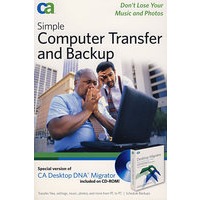
最 低 价:¥157.00

| 作者简介: CA Founded in 1976, CA is a global company with 150 offices in more than 45 countries with revenues of $3.5 billion in 2005. With more than 15,000 employees, they provide products and support to more than 98% of Fortune 1000® companies, as well as government entities, educational institutions and thousands of other companies in diverse industries worldwide. Their products cover systems, networks, security, storage, and databases. |
| Acknowledgments. Introduction. Part I: Understanding the Issues and Solutions. Chapter 1: Dealing with Your PC's DNA. Chapter 2: Understanding CA Desktop DNA Migrator. Part II: Transferring, Backing Up, and Restoring Your PC. Chapter 3: Installing CA Desktop DNA Migrator. Chapter 4: Migrating Your DNA to a New PC. Chapter 5: Backing Up Your Files. Chapter 6: Restoring Your PC with Your DNA Backup. Chapter 7: Updating Your Software. Chapter 8: Troubleshooting. Part III: Bonus Material. Chapter 9: After Migrating to a New PC. Chapter 10: Connecting to the Internet. Chapter 11: Planning a Wireless Network Installation. Chapter 12: Setting Up a Wireless Network. Chapter 13: Installing a Wireless Card. Appendix: Supported Settings. Index. |


 内容加载中,请稍后...


商品评论(0条)