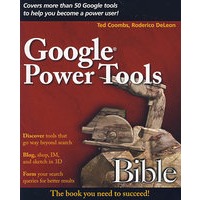
最 低 价:¥243.90

| 作者简介: Ted Coombs is a veteran programmer and software engineer who has written more than a dozen books on computer technology, including dBASE for Windows Programming For Dummies, PowerBuilder Programming For Dummies, and Setting Up an Internet Site For Dummies. |
| About the Authors Preface How To Use This Book Using the Book’s Icons Acknowledgments Introduction Part I: Navigating Google Information Chapter 1: Searching the Web Chapter 2: Focusing Your Web Search Chapter 3: Topic Searching Chapter 4: Discovering Images on the Web Chapter 5: Hunting for Videos Chapter 6: Searching through Books Chapter 7: Searching Google Catalogs Chapter 8: Shopping as a Sport Chapter 9: Making Use of Directories Chapter 10: Keeping in Touch with E-Mail Alerts Chapter 11: Personalizing Google Desktop Chapter 12: Exploring Google Maps Chapter 13: Exploring the World with Google Earth Chapter 14: Staying Current with Google News Chapter 15: Researching with Google Scholar Chapter 16: Managing Your Portfolio with Google Finance Chapter 17: Google Base Chapter 18: Using Google "Office." Part II: Communicating Google-Style Chapter 19: Staying in Touch with Gmail Chapter 20: Chatting with Google Talk Chapter 21: Editing and Sharing Photos with Picasa2 Chapter 22: Participating in Google Groups Chapter 23: Creating Web Pages with Page Creator Chapter 24: Introducing Blogs Chapter 25: Communicating with Blogger Chapter 26: Organizing Your Day with Google Calendar Part III: Going Mobile Chapter 27: Finding Your Way with Google Chapter 28: Using Google Mobile Part IV: Google-izing Your Computer Chapter 29: Messaging with Google Chapter 30: Getting to Know the Google Pack Chapter 31: Managing the Google Toolbar Chapter 32: Creating 3-D Models with SketchUp Chapter 33: Using 3-D Models Part V: Google and the Enterprise Chapter 34: Increasing Web Traffic with AdWords Chapter 35: Making Cents with AdSense Chapter 36: Making Decisions with Google Analytics Chapter 37: Creating a Google Enterprise Chapter 38: Introducing Enterprise Hardware Part VI: Exploring Google Innovation Chapter 39: Exploring the Future of Google Chapter 40: Graduating from the Product Labs Index |


 内容加载中,请稍后...


商品评论(0条)